Mastering Windows and Linux Server Administration: A Comprehensive Guide

Mastering Windows and Linux Server Administration: A Comprehensive Guide
Windows and Linux server administration is no longer a niche technical discipline reserved for large enterprises with deep internal teams. It has become a core business function for organizations that depend on uptime, security, and fast access to data. Whether a company runs line-of-business applications on Windows Server, hosts web services on Linux, or supports both at the same time, the quality of server management behind those systems shapes daily performance.
That is why strong server administration is not just about keeping machines online. It is about building an environment that is stable under pressure, secure by default, and ready to support growth without constant disruption. For small and midsize businesses, that kind of discipline often creates the difference between reactive IT and a system that quietly supports progress, leveraging robust linux configurations and the innovations of open source operating systems.
Why mixed server environments are now common
Very few businesses operate in a single-platform bubble. Windows servers often support Active Directory, Microsoft 365 integrations, file services, SQL Server, and application stacks built around familiar enterprise tools. Linux servers, by contrast, frequently power web hosting, containers, databases, firewalls, reverse proxies, and automation platforms—all of which benefit from the flexibility of open source operating systems.
This split is practical. Each operating system has strengths, and modern infrastructure often depends on both. A finance team may rely on Windows-based authentication and reporting tools, while the public-facing application stack runs on Linux. A healthcare organization may keep directory services on Windows while using Linux for monitoring, backup repositories, or internal development systems. The art of server management in mixed environments demands that administrators appreciate both linux and Windows configurations to achieve optimal performance.
That reality changes what “good administration” looks like. It is no longer enough to know one interface or one set of commands. Administrators need a broader operating model, one that respects the differences between platforms while keeping policy, security, and maintenance consistent.
The work behind stable server operations
At a high level, Windows and Linux administration share the same purpose: keep systems available, protected, patched, and predictable. The specific tools differ, but the job remains grounded in disciplined maintenance and a strong sense of risk.
A capable administrator is watching far more than CPU and disk space. They are reviewing logs, validating backups, planning patch windows, auditing access, checking certificate expiration, testing recovery paths, and spotting small signs of trouble before users feel the impact. That preventive mindset is what separates a stable environment from one that is always close to failure. Effective server management practices ensure that both linux configurations and Windows services progress seamlessly.
Core responsibilities usually include:
- Patch management
- Access control
- Backup verification
- Performance tuning
- Service monitoring
- Capacity planning
- Incident response
Each task sounds simple when listed in isolation. In practice, every one of them depends on process. A patch applied without testing can break production. A backup that has never been restored is only a hopeful file. Monitoring without alert thresholds becomes noise. Strong administration turns these moving parts into repeatable routines.
Where Windows and Linux differ day to day
The biggest contrast between Windows and Linux administration is not philosophy. It is operational style. Windows administration often centers on graphical tools, integrated enterprise services, and policy-driven management through Active Directory, Group Policy, Windows Admin Center, and PowerShell. Linux administration usually relies more heavily on the command line, package managers, service units, shell scripting, SSH, and configuration files. In many cases, linux configurations require a deep familiarity with open source tools to keep pace with constant updates and community-driven enhancements.
That does not mean Windows is “easier” or Linux is “more advanced.” Both can be highly automated, highly secure, and highly scalable. The real difference lies in how administrators interact with the system and how they standardize changes across many machines. Good server management practices bridge these differences by establishing shared policies that work on both platforms.
The table below highlights common distinctions.
| Area | Windows Server | Linux Server | |---|---|---| | Primary management style | GUI plus PowerShell | CLI plus scripting and configuration files (often leveraging open source tools) | | Identity services | Active Directory, Group Policy | Local auth, LDAP, SSSD, Samba, directory integrations | | Software updates | Windows Update, WSUS, Intune, PowerShell | APT, YUM, DNF, Zypper, unattended upgrades | | Service control | Services console, PowerShell, Task Scheduler | systemd, service commands, cron | | Remote access | RDP, WinRM, PowerShell Remoting | SSH, terminal multiplexers, remote shell tools | | Logging | Event Viewer, Windows logs, SIEM connectors | syslog, journalctl, log files, SIEM connectors | | Common roles | Domain controller, file server, print server, Microsoft application support | Web server, container host, database server, proxy, DNS |
A mature team does not treat these differences as obstacles. It builds standards around them. The goal is to keep administration consistent even when the tools are not identical. Naming conventions, patch policies, access rules, backup schedules, and change approval methods should work across both operating systems.
Automation turns administration into a system
Manual administration can support a few servers. It does not scale well once environments grow, remote work expands, and security requirements become stricter. Repeating critical tasks by hand introduces drift, missed steps, and inconsistent results. Automation reduces those problems by making the expected system states easier to enforce.
On Windows, PowerShell has transformed what administrators can accomplish with speed and precision. On Linux, shell scripts, Ansible, and other open source automation frameworks allow teams to apply configuration at scale, validate changes, and keep records of what was done. When used well, automation improves reliability because it reduces improvisation.
Good automation usually starts with a few foundational habits:
- Standard builds: Define approved server images, packages, and baseline settings that include both Windows configurations and linux configurations where applicable.
- Scripted maintenance: Automate patching, cleanup, health checks, and reporting.
- Configuration control: Keep infrastructure settings documented and versioned.
- Repeatable provisioning: Deploy new systems through templates, not memory.
- Post-change validation: Verify services, ports, logs, and resource usage after updates.
This is one area where mixed-platform teams gain real momentum. A single operating model can cover both Windows and Linux even if the scripts and tools differ. The value comes from consistency, traceability, and speed in server management.
Security needs daily attention, not occasional projects
Server security is often framed as a collection of products. Firewalls, endpoint protection, MFA, and threat detection all matter, yet strong security begins with administration fundamentals. Weak account hygiene, delayed patching, broad permissions, and stale services create far more risk than many organizations realize.
Windows administrators need close control over Active Directory, service accounts, RDP exposure, NTFS permissions, local admin rights, and PowerShell execution policies. Linux administrators need equal discipline around sudo access, SSH hardening, package trust, file permissions, kernel updates, and exposed ports. In both cases, least privilege should be the standard, not a long-term goal that never arrives.
A practical security posture often includes:
- Strong authentication
- Limited administrative scope
- Regular vulnerability review
- Network segmentation
- Service hardening
- Security log collection
Security becomes far more effective when it is woven into routine administration. Reviewing account activity, checking failed login attempts, removing unused services, and validating backup integrity should be ordinary operational work. When security is separated from operations, issues tend to sit unnoticed until they become incidents.
Monitoring should answer business questions
A server can be technically online and still be failing the business. Users may face slow transactions, timed-out sessions, delayed reports, or application errors long before an outage alert appears. That is why monitoring should extend beyond device availability.
Good monitoring asks practical questions. Is authentication working? Are critical services starting properly after reboot? Is storage latency rising? Did a patch increase memory usage? Are backups finishing within the expected window? These signals give administrators a clearer picture of service health. Sound server management ensures that both linux configurations and Windows systems are monitored thoroughly.
Logs matter here as much as metrics. Windows Event Viewer and Linux log streams both contain early warnings that should never be ignored. Repeated authentication failures, disk warnings, service restart loops, replication errors, DNS issues, and certificate events often appear before a larger disruption. Centralized log collection helps teams see patterns instead of isolated symptoms.
One short rule applies to both platforms: if an alert does not lead to action, it needs adjustment.
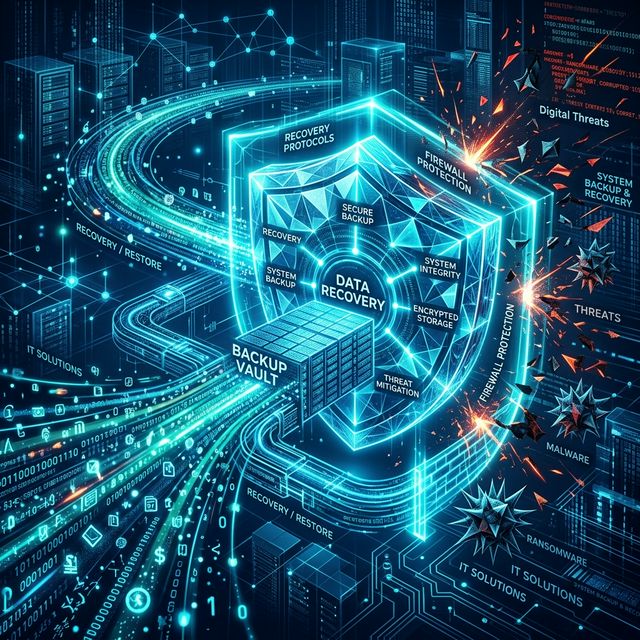
Backup and recovery are part of administration, not an afterthought
Many organizations can state that they have backups. Fewer can say with confidence that they can restore a full server, a single database, or a critical file set inside the recovery window the business actually needs. That gap matters.
Windows and Linux environments each bring their own recovery considerations. Windows systems may depend on Active Directory state, system volume layouts, application-aware backups, and restore order for domain services. Linux systems may rely on configuration files, bootloader integrity, filesystem consistency, package state, and database recovery points. In both cases, the only proof of readiness is testing.
A sound recovery practice includes file-level restores, bare-metal or image recovery, application-aware backup validation, and documented runbooks. Those runbooks should be short, current, and easy to follow under pressure. During an incident, clarity beats length every time.
Performance tuning is about more than raw power
When server performance drops, the first instinct is often to add CPU, memory, or storage. That can help, but many performance issues come from configuration drift, oversized logs, poor indexing, inefficient queries, overloaded virtual hosts, or services running with the wrong dependencies.
Windows administrators often spend time on event analysis, storage throughput, memory pressure, update side effects, and service interactions tied to Microsoft workloads. Linux administrators frequently focus on I/O wait, process behavior, swap activity, file descriptor limits, network sockets, and tuning around web or database services. Both approaches require context. High resource use is not always a problem if it matches the server’s intended role.
That is why baselines are so useful. When administrators know what normal looks like, they can see change faster and respond with confidence—a core concept in modern server management.
Building an administration model that scales with the business
As businesses grow, server administration needs to become more structured. Ad hoc maintenance may work in the early stages, yet growth introduces more users, more endpoints, more compliance demands, more application dependencies, and less tolerance for downtime. The administrative model has to grow with that pressure.
A scalable approach usually brings together documentation, remote management, standardized policies, routine reporting, and proactive maintenance. It also creates a clear boundary between routine support and strategic infrastructure planning. One keeps systems healthy today. The other prepares the environment for what comes next—ensuring that both Windows and linux configurations meet future challenges.
For organizations without a full in-house server team, this is where managed expertise can make a meaningful difference. Remote administration, active monitoring, security hardening, backup oversight, and preventive maintenance give businesses access to enterprise-level discipline without requiring a large internal department. That structure is especially valuable in mixed Windows and Linux environments, where consistency across platforms matters just as much as deep technical skill in open source operating systems.
The strongest server environments are rarely the loudest. They are the ones built on careful standards, tested recovery paths, controlled access, and thoughtful administration done day after day. Windows and Linux may speak different operational languages, but when managed with discipline and modern server management practices, both can support an infrastructure that is resilient, secure, and ready for the next stage of growth.
Mastering Windows and Linux Server Administration: A Comprehensive Guide
Originally published on CyberNet