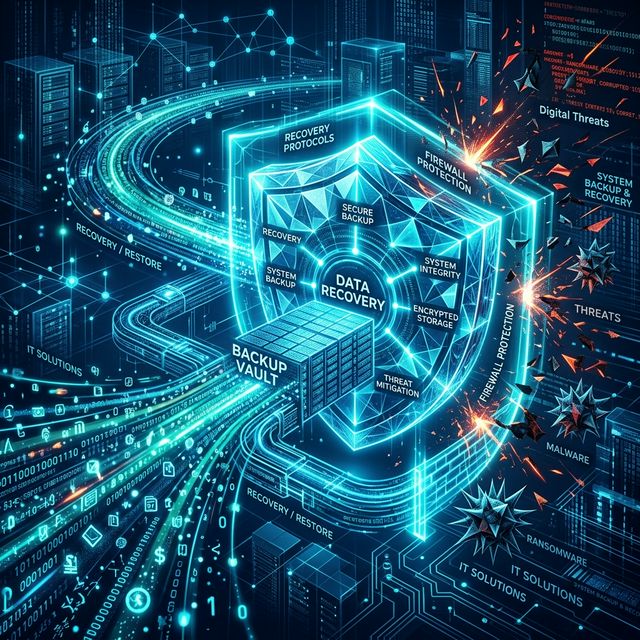
Boost Security with Endpoint Protection for SMBs

Small and midsize businesses rarely have the luxury of a large security team, yet they face the same phishing campaigns, ransomware attempts, and stolen credential attacks as much larger companies. That is why endpoint protection and endpoint security deserve a much bigger place in the SMB cybersecurity conversation, especially in the face of increasing cyber threats. It protects the devices people use every day, and it gives IT teams a way to spot trouble early, contain it fast, and keep operations moving.
For most organizations, the endpoint is where endpoint security becomes crucial and risk becomes real.
Why endpoints matter so much
A laptop opens a malicious attachment. A desktop runs outdated software. A remote employee logs in from an unmanaged device. A server starts making unusual outbound connections in the middle of the night. These are not edge cases. They are common starting points for business disruption.
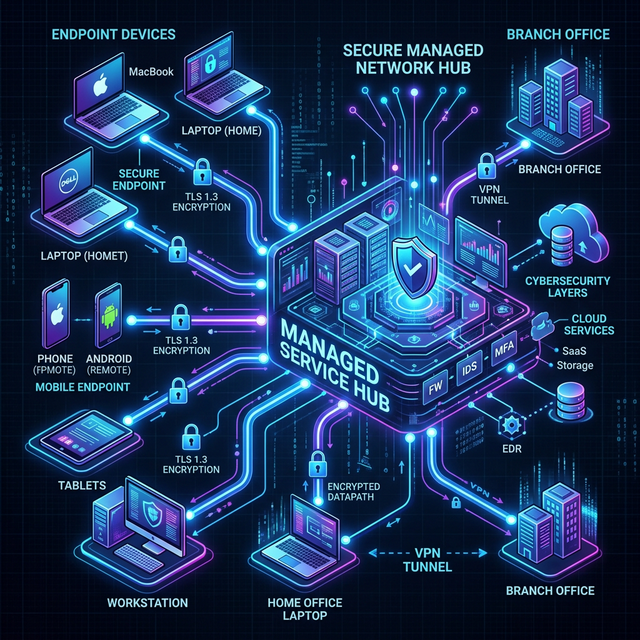
Endpoints include workstations, laptops, servers, mobile devices, and sometimes specialized devices connected to the network, where endpoint security measures need to be applied. Each one is a doorway into the business. If security is weak at that doorway, the rest of the environment becomes easier to reach.
That is why modern cybersecurity measures for endpoint security and protection are no longer just about antivirus. SMBs need tools that block known threats, identify suspicious behavior, isolate compromised devices, and give IT teams a clear view of what is happening across the environment.
What good endpoint protection includes
A solid endpoint security protection program blends prevention, threat detection, response, and ongoing management. That mix matters because no single control catches everything.
| Capability | What it does | Why SMBs benefit | |---|---|---| | Antivirus and anti-malware | Blocks known malicious files and suspicious processes | Stops common threats before they spread | | Firewall and network controls | Limits unauthorized traffic to and from devices | Reduces exposure from risky connections | | Patch management | Applies updates to operating systems and applications | Closes security gaps quickly | | Device and application control | Restricts unapproved USB devices and software | Cuts down avoidable attack paths | | Encryption | Protects data stored on devices | Lowers risk if a device is lost or stolen | | Centralized management | Lets IT manage policies and alerts from one console | Saves time for small teams | | Backup integration | Supports fast recovery after ransomware or hardware failure | Keeps downtime and data loss under control | | EDR | Detects and responds to unusual endpoint behavior | Catches threats that basic antivirus may miss |
When these pieces are managed together, security becomes easier to maintain. Policies stay consistent. Updates are easier to track. Alerts are visible in one place instead of scattered across separate tools.
Just as important, centralized management gives small businesses something they often lack: control at scale.
Why antivirus by itself is not enough
Traditional antivirus still matters, but it was built for a simpler threat landscape. Many current attacks rely on scripts, stolen credentials, living-off-the-land techniques, and legitimate tools used in malicious ways. Those methods do not always look like classic malware.
This is where endpoint detection and response, or EDR, changes the picture. EDR watches device activity over time. It looks for suspicious patterns, not just known file signatures. A device that suddenly starts encrypting files, connecting to strange destinations, or launching unusual processes can be flagged even if the exact threat has never been seen before.
Threat monitoring extends that protection even further. Instead of waiting for a user to report a problem, monitoring systems collect logs, evaluate events, and alert IT staff in real time. In stronger setups, they can also trigger automated actions like isolating a device from the network.
That speed matters. Recent security reporting has shown how quickly newly disclosed vulnerabilities can be weaponized. If patching is slow and monitoring is absent, an attacker may have a clear window before anyone notices.
What threat monitoring looks like in practice
Threat monitoring is the continuous review of endpoint, server, network, and security data to identify signs of compromise. For SMBs, that does not always mean building a full internal security operations center. It means making sure someone, or some managed service, is watching for high-risk activity around the clock.
At its best, monitoring pulls signals from multiple sources and turns them into useful action. That includes endpoint alerts, firewall logs, login activity, abnormal traffic, and external threat intelligence. The goal is not to create more noise. The goal is to shorten the time between the first suspicious event and the first meaningful response.
Common monitoring targets include endpoint security alerts, firewall logs, login activity, abnormal traffic, and external threat intelligence.
- Failed login spikes
- Unusual file encryption activity
- Unexpected admin account changes
- Suspicious outbound traffic
- Disabled security agents
- Access from abnormal locations
A mature cybersecurity setup often adds a second layer of intelligence:
- Behavioral analytics: Spots activity that breaks from a normal pattern
- Threat intelligence feeds: Flags known malicious IP addresses, domains, and indicators
- Automated response: Isolates devices or blocks traffic when certain thresholds are met
- Incident workflows: Routes urgent alerts into a documented response process
For an SMB, that kind of visibility, augmented by endpoint security measures and strong cybersecurity practices, can be the difference between a contained security event and a full business interruption.
The challenges SMBs run into
Most small and midsize businesses do not ignore security because they do not care. They struggle because security competes with everything else: hiring, customer delivery, operations, cash flow, and growth.
A common pattern looks like this: a company buys antivirus, enables a firewall, and assumes the basics of endpoint security are covered. Yet some devices fall behind on patches. A few users have local admin rights. Backups are not tested often. Alerts go to a shared inbox that nobody checks after hours. That is how gaps form, making it essential to integrate EDR solutions for comprehensive threat detection and response.
The most common pressure points from cybercriminals are easy to recognize.
- Phishing and credential theft
- Ransomware
- Unpatched software
- Unsafe remote access
- Employee error
- Shadow IT
Regulatory compliance adds another layer, emphasizing the importance of endpoint security to protect sensitive data. Businesses in healthcare, finance, e-commerce, and professional services often handle regulated or sensitive data. Even when legal requirements differ, the expectation is similar: protect endpoints, monitor for incidents, document controls, and respond quickly when something goes wrong.
That can feel like a lot for a lean team. It is also why practical, managed, policy-driven security is so valuable for SMBs.
How to choose the right endpoint protection approach
Buying more tools does not automatically create better security. SMBs get better results when they start with risk, device inventory, and day-to-day operational reality.
Before choosing a platform or service, it helps to answer a few direct questions. How many endpoints exist today? How many are remote? Which users handle sensitive data? Which systems must stay available no matter what? Who reviews alerts after business hours?
Those questions usually point to a more grounded decision process.
- Identify every endpoint that needs coverage, including remote laptops and servers, to ensure endpoint security.
- Prioritize critical systems and users with access to sensitive data.
- Choose tools with centralized management and automated patching.
- Confirm that EDR and alerting are included, not optional extras that remain disabled.
- Make sure backup and recovery plans work alongside endpoint security and controls.
- Define who responds when a high-severity alert appears.
Ease of use matters more than many businesses expect. A platform with strong capabilities but poor administration often ends up partially deployed, misconfigured, or ignored. The better choice is often the one that fits the team’s actual capacity and can be managed consistently.
Where managed services can make a real difference
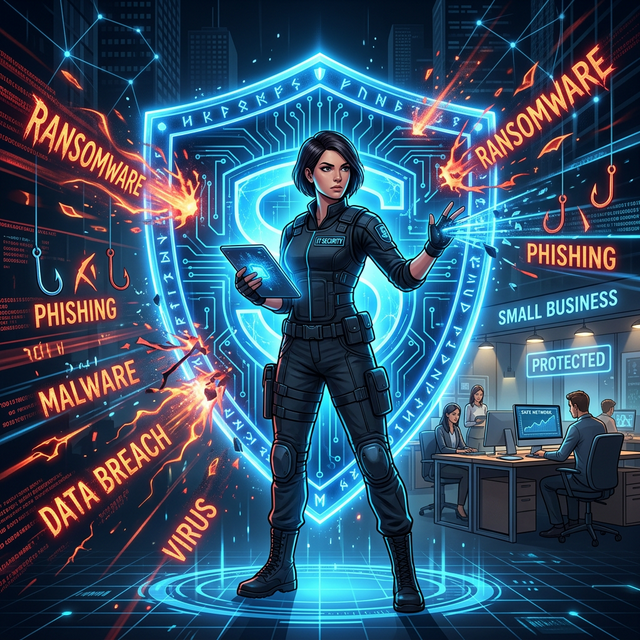
For many SMBs, outsourcing part of endpoint security operations is not a compromise but a strategic move for enhanced cybersecurity. It is the most realistic route to strong coverage.
A managed IT and security provider can handle endpoint deployment, policy management, patching, monitoring, and response support through a centralized service model. That gives businesses access to stronger technical oversight without building a full in-house security function.
This is where a provider like CyberNet fits naturally. CyberNet focuses on managed IT support, remote administration, backup and disaster recovery, server management, network oversight, and cybersecurity protection for organizations that need reliable infrastructure but may not have a large internal IT team. The practical value is clear: proactive monitoring, preventive maintenance, centralized management, and responsive technical support under one operating model.
That kind of structure helps SMBs address several needs at once:
- Proactive monitoring: Issues are identified before they become outages or security incidents
- Patch and system maintenance: Devices and servers stay current with less manual effort
- Endpoint and network visibility: Security events can be seen across the environment, not device by device
- Backup and recovery readiness: Data protection supports faster recovery when something goes wrong
- Scalable support: Security operations can grow with the business without constant internal rebuilding
The best managed relationships also reduce a common SMB risk: inconsistency. One device is protected, another is not. One office is patched, another is delayed. One backup is healthy, another has failed quietly for weeks. Central oversight closes gaps.
Turning endpoint protection into a daily operating habit
Technology works best when it is supported by routine. SMBs do not need perfect security. They need disciplined, repeatable security.
That starts with a short list of habits that remain in place month after month. Review new devices quickly. Remove unused accounts. Test backups. Check alert severity trends. Revisit access rights when staff roles change. Run phishing awareness training for new hires, not just annual refreshers for long-term employees.
Small improvements, repeated consistently, build real resilience.
A practical operating rhythm often includes this mix of endpoint security measures:
- Weekly patch status checks
- Monthly endpoint coverage reviews
- Quarterly access audits
- Backup restore tests
- Security awareness refreshers
- Incident response tabletop exercises
There is also a mindset shift worth making. Endpoint protection, including endpoint security, is not just about preventing malware. It is about protecting business continuity. When a device is secured, monitored, patched, and backed up, the business is better prepared to keep serving customers, processing work, and recovering quickly from disruption.
That is what makes endpoint protection so important for SMBs. It is not a narrow technical purchase. It is a foundation for stability, trust, and controlled growth.
Understanding the Basics: What is Endpoint Security?
Endpoint security encompasses all the policies, technologies, and practices required to protect individual devices connected to your corporate network. From antivirus to advanced EDR, it is the frontline defense for your modern organization.
Originally published on CyberNet